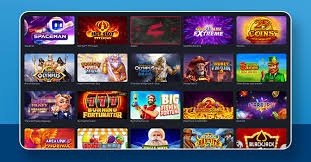
Mobile App

Download the 55bms App for Android & iOS – Full Mobile Experience

Get the 55bms mobile app and enjoy a seamless gaming experience on your smartphone or tablet. Sports betting, live casino, slots, and eBingo — all in your pocket, anytime.

Get the App

Download 55bms for Your Device

Available for Android and iOS — play wherever you are in the Philippines.

Android App

Download the 55bms APK file directly for Android devices running version 6.0 and above. Fast, lightweight, and optimized for Filipino players.

Download for Android
APK • Version 2.1.4 • 28 MB

iOS App

Install the 55bms app on your iPhone or iPad running iOS 13.0 and later. Smooth performance with native iOS design and full feature access.

Download for iOS
IPA • Version 2.1.4 • 31 MB
About the App

Why Download the 55bms Mobile App?

The 55bms mobile app brings the full power of the platform to your smartphone or tablet. While you can always play through your mobile browser, the dedicated app offers faster loading times, better offline support, and a more polished interface designed specifically for touch screens.

Filipino players love gaming on the go — whether you're commuting in Metro Manila, taking a break in Cebu, or relaxing at home in Davao. The 55bms app is built to handle all of that — whether you're on Android or iOS, the experience stays smooth and responsive.

55bms

Inside the app, you'll find everything you need: sports betting with live odds updates, live casino tables with real dealers, hundreds of slot games, eBingo rooms, and full account management. Deposit in ₱ PHP using Philippine online banking, bank transfers, or local e-wallets like GCash and Maya. Withdraw your winnings just as easily — all through a secure, encrypted connection.

The app is optimized for data efficiency, so you can play even when you're not on WiFi. It also supports push notifications for important account updates, live match alerts, and promotional offers — helping you stay connected without constantly checking in.

Best of all, the 55bms app syncs perfectly with your web account. Start a bet on your laptop, continue on your phone during your commute, and check results on your tablet at home. Your balance, bet history, and preferences stay consistent across all devices.

App Highlights

  • Faster loading times compared to mobile web
  • Touch-optimized interface designed for mobile gaming
  • Push notifications for live match updates and promotions
  • Biometric login support (fingerprint, Face ID)
  • Works efficiently on mobile data and WiFi
  • Full access to all games, sports, and betting options
  • Secure SSL encryption and OTP verification

Register & Download App
Features

What's Inside the 55bms App

Everything you need for sports betting, casino gaming, and account management — all in one app.

Sports Betting

Live odds, pre-match betting, and in-play wagering on Basketball, Football, Volleyball, Boxing, and more.

Casino Games

Slots, live dealer tables, roulette, blackjack, baccarat, and poker — hundreds of games to choose from.

eBingo Rooms

Play multiple bingo cards with auto-daub, fast draws, and community chat features built right in.

PHP Payments

Deposit and withdraw in Philippine Peso using online banking, bank transfers, and local e-wallets.

Installation Guide

How to Install the 55bms App

Installing the 55bms app is quick and straightforward. Follow the steps below for your device type — Android or iOS — and you'll be playing within minutes.

Android Installation

1
Enable Unknown Sources

Go to Settings > Security > Install unknown apps, and allow your browser to install apps from external sources.

2
Download the APK

Visit 55bms on your Android browser and tap the Download for Android button. The APK file will download to your device.

3
Install the App

Open the downloaded APK file from your notifications or file manager, then tap Install. The app will be ready in a few seconds.

4
Open & Log In

Launch the 55bms app from your home screen, log in with your existing account, or register a new one to start playing.

iOS Installation

1
Download the IPA File

Visit 55bms on Safari and tap the Download for iOS button. The IPA file will download to your device.

2
Trust the Developer

After installation, go to Settings > General > Device Management, find the 55bms profile, and tap Trust to enable the app.

3
Open & Log In

Launch the 55bms app, log in with your account credentials, and you're ready to play on iOS.

55bms

Installation Tips

  • Android: If you see a security warning when installing the APK, that's normal for third-party apps. Just proceed with the installation.
  • iOS: Make sure you complete the Trust step in Settings, otherwise the app won't open properly.
  • Updates: The app will notify you when a new version is available. Simply download and install the update to get the latest features.
  • Support: If you encounter installation issues, reach out to 55bms customer support for assistance via live chat or email.
System Requirements

Device & System Requirements

Check if your device is compatible with the 55bms mobile app.

Android Requirements

Operating System: Android 6.0 (Marshmallow) or higher

Processor

Recommended: Quad-core 1.5 GHz or better

Storage

Free Space: At least 100 MB for app installation and cache

Internet Connection

Required: WiFi or mobile data (3G/4G/5G recommended)

iOS Requirements

Operating System: iOS 13.0 or later (iPhone, iPad, iPod touch)

Compatible Devices

Supports: iPhone 6s and newer, iPad Air 2 and newer, all iPad Pro models

Storage

Free Space: At least 120 MB for app installation and cache

Internet Connection

Required: WiFi or mobile data (4G/5G recommended for best experience)

55bms
Comparison

App vs Mobile Web – Which Should You Choose?

Both options work great, but the app offers some advantages for frequent players.

Feature 55bms Mobile App Mobile Web Browser
Loading Speed Faster — app assets are cached locally Depends on browser cache and connection speed
User Interface Native mobile design optimized for touch Responsive web design, works but not native
Notifications Push notifications for updates, promotions, live events No push notifications (unless browser supports it)
Biometric Login Fingerprint and Face ID supported Limited biometric support via browser
Offline Access Basic app functions and cached content available offline Requires constant internet connection
Installation Requires APK/IPA download and install No installation — just open browser and visit 55bms
Updates Manual update or auto-update notification Always running latest web version automatically
Data Usage Lower data usage due to cached assets Slightly higher data usage on repeated visits

Best for Frequent Players

If you play regularly, the 55bms app is the better choice. Faster performance, push notifications, and biometric login make it more convenient for daily use.

Best for Casual Players

If you play occasionally or prefer not to install apps, the mobile web version works perfectly. No installation required — just visit 55bms on any browser.

Security & Safety

Is the 55bms App Safe?

Absolutely. The 55bms app is built with the same security standards as the web platform. All data transmitted between your device and our servers is encrypted using SSL/TLS protocols, protecting your personal information, account credentials, and financial transactions.

The app supports biometric authentication (fingerprint and Face ID), so you can log in quickly without typing your password every time — while still keeping your account secure. OTP verification is also available for withdrawals and sensitive account changes.

We use industry-standard security measures including encrypted storage for cached data, secure session management, and automatic logout after periods of inactivity. Your payment information is never stored locally on the device — all transactions are processed through secure payment gateways.

The 55bms app also includes KYC verification to prevent fraud and protect your account. Verified accounts enjoy higher withdrawal limits and faster processing times. You can manage all security settings directly within the app, including password changes, two-factor authentication, and activity logs.

App Security Features

  • SSL/TLS encryption for all data transmission
  • Biometric login (fingerprint, Face ID)
  • OTP verification for withdrawals and sensitive actions
  • Automatic session timeout for inactive accounts
  • No local storage of payment credentials
55bms

Responsible Gaming on Mobile

The 55bms app includes all the same responsible gaming tools available on the web platform. You can set deposit limits, session time reminders, and self-exclusion periods directly within the app settings.

  • 21+ Only: You must be at least 21 years old to use the 55bms app.
  • Set Limits: Use deposit and time limits to control your gaming activity.
  • Take Breaks: The app will remind you to take regular breaks during extended sessions.
  • Gaming is Entertainment: Never play beyond your budget or chase losses.
Learn more about Responsible Gaming

Ready to Download the 55bms App?

Get the full mobile gaming experience on your Android or iOS device. Fast, secure, and built for Filipino players.

Register & Download Now